Showing posts with label revit architecture. Show all posts

5/14/2012

Autodesk Revit Architecture 2011: No Experience Required Review

Autodesk Revit Architecture 2011: No Experience Required
Average Reviews:

(More customer reviews)
Although I was proficient with AutoCAD, I didn't have any experience with Revit before I purchased this book. I have now gone through the entire volume, reading every word and following along with every example.
The book takes the form of a step-by-step tutorial: the author gives you instructions, and you follow his instructions in order to learn the software. For the most part, this system works well. The tutorial addresses most aspects of Revit, and by the end of the book I felt that I could use the software proficiently in an office environment. The author gives good explanations of why you are doing each process, although he omits to tell you the purpose of each step. (For example, he might tell you to click a specific checkbox in a dialog box, without explaining what that checkbox is for. Brief parenthetic comments to that end would have been nice.)
There is a real problem with quality control in the book, however. Other readers have commented on the east-west discrepancies in the book; the author might tell you to modify the east entrance when he means the west entrance, for example. This flaw didn't really bother me, as there are plenty of helpful illustrations in the book, so it's usually possible to figure out which side of the building he really means. The bigger issue has to do with the sloppiness of the tutorial procedures. Many of the steps that the author tells you to make do not work properly. That is, he might say "do X, and Y will happen," but the program might not allow you to do X, or when you do X, Y does NOT happen. Other times, the instructions are confusing or even incomplete. I once spent 30 minutes trying to troubleshoot my model, only to realize that the author had omitted to tell me to click a certain button. These errors are rare in the first few chapters, but become increasingly common later in the book. Chapter 21 is particularly bad in this regard; the author even has you modifying a wall that does not exist, if you follow his instructions! It seems likely that the book's procedures were never independently tested by someone untrained in Revit.
I don't know if there is a better book for learning Revit. This one will certainly work - just be prepared to encounter a fair number of unexpected problems, and to figure out solutions to them on your own.

Click Here to see more reviews about: Autodesk Revit Architecture 2011: No Experience Required

Learn Revit Architecture step by step with this project-based tutorial
Revit Architecture is the leading Building Information Modeling (BIM) software for architects and others in related fields. Written by renowned Revit trainer Eric Wing, this simple, yet engaging tutorial teaches you the program's basics.

You'll find concise explanations, focused examples, step-by-step instructions, and an engaging hands-on tutorial project that will take you from an introduction to the interface and Revit conventions right in to modeling a four-story office building.

Explains views, grids, and the program's editing capabilities, and then progresses as the building's design would in the real world
Encourages you to work with structural grids, beams, and foundations and shows you how to add text and dimensions, as well as understand how to use dimensions as a design tool
Walks you through building floors layer by layer and joining them to exterior and interior walls, and creating and editing roofs and ceilings as well as stairs, ramps, and railings

Even with no experience, Revit Architecture and its accompanying Web site will support you as you learn Revit at your own pace.


Buy NowGet 38% OFF

Click here for more information about Autodesk Revit Architecture 2011: No Experience Required

Read More...

4/17/2012

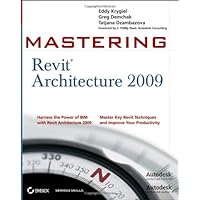
Mastering Revit Architecture 2009 Review

Mastering Revit Architecture 2009
Average Reviews:

(More customer reviews)
I bought this title after purchasing and working through _Introducing Revit Architecture 2009: BIM for Beginners_. I had already built a case study building model and needed a reference for the things I wanted to do that weren't covered in the beginner book. Mastering Revit Architecture 2009 has fulfilled that role. I find it more readable than most computer books, a lot less of "insert tab A into Slot 2" instruction that leaves you lost in the middle of it. Still, it isn't about "mastering" the application. Maybe it should be titled _Wrestling with Revit Architecture 2009_ as the more I use Revit the more I realize just how far from mastery I am. For anyone wanting to learn, however, Mastering Revit Architecture 2009 will help you get through.

Click Here to see more reviews about: Mastering Revit Architecture 2009

Move beyond the basics of Revit and BIM and redefine your designs with this new edition of Mastering Revit Architecture. With updated coverage of Revit Architecture 2009 features, this comprehensive guide will help you discover best practices and tips that will make your projects smoother and their implementation easier. You'll learn how applying key Revit and BIM priniciples to your designs will increase your productivity and improve your workflow plus develop a more thorough understanding of topics like design options and features, advanced modeling, and presentation techniques with the clear explanations and practical examples found in this book.

For Instructors: Teaching supplements are available for this title.


Buy NowGet 37% OFF

Click here for more information about Mastering Revit Architecture 2009

Read More...

4/13/2012

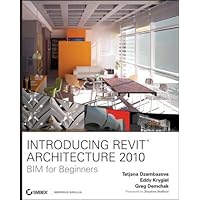
Introducing Revit Architecture 2010: BIM for Beginners Review

Introducing Revit Architecture 2010: BIM for Beginners
Average Reviews:

(More customer reviews)
The "Introducing Revit Architecture 2010-BIM for beginners" is a well-put together book. I am rating this book 4 star because it's a book I have be able to really understand and be able to refer back to often and get quick and easy feed back.
PROS:
What I found to be good about this book is, that it's in fact a beginners book, so the layout is very simple, organized and easy to follow. The placement of sub categories in each chapter makes finding the right material very easy. I liked that most sub categories have a step-by-step run through of the process with images (such as modeling images, as well as window box screen shots) that correspond with the process your going through.
CONS:
The bad part of this book is also the good part...the fact that it's a beginner's book. I have found on multiple occasions that I had trouble with a certain situation during the designing process that I referred back to the book and it only provided an overview of the process and suggested I get a more advanced book (go figure).
OVERALL:
Overall I'm am glad I got this book, it is helpful and very easy to follow, I am one of those people that have a hard time following text books so I was surprised at my ability to navigate and actually continue to refer back to this book on multiple occasion. The program its self is relatively simple to grasp especially if you have dealt with other BIM software's that do have as much and are twice as hard to figure out.

Click Here to see more reviews about: Introducing Revit Architecture 2010: BIM for Beginners

Learn the leading BIM software quickly and easily with this book's detailed discussions and practical exercises

Introducing Revit Architecture 2010 presents the core features of this industry-leading building information modeling (BIM) software with focused discussions and practical exercises to get you up to speed quickly.

Real-world tutorials from the expert authors' extensive experience, along with straightforward explanations and examples, focus squarely on accomplishing vital Revit tasks. Fully illustrated and including a 16-page color insert, Introducing Revit Architecture 2010 explains BIM principles and thoroughly covers Revit's concepts, interface, tools, and process.

Teaches Revit's essential concepts with a no-nonsense, real-world approach
Explains the principles of BIM, then provides a thorough overview of Revit's concepts and interface conventions before delving into crucial Revit tools and tasks
Focuses on accomplishing vital Revit tasks, using practical explanations, real-world architectural scenarios, and in-depth, focused tutorials
Uses in-depth discussions reinforced by comprehensive, step-by-step exercises that demonstrate how to model, document, present, and share your designs
Written by Revit experts, this book is fully updated for Revit 2010 and features an inspirational 16-page color insert

Introducing Revit Architecture 2010 is the essential resource for both students and professionals in the architecture and construction fields.

For Instructors: Teaching supplements are available for this title.


Buy NowGet 47% OFF

Click here for more information about Introducing Revit Architecture 2010: BIM for Beginners

Read More...

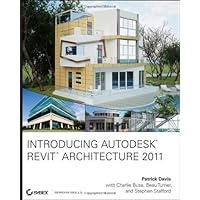
Introducing Autodesk Revit Architecture 2011 Review

Introducing Autodesk Revit Architecture 2011
Average Reviews:

(More customer reviews)
I had purchased the Mastering Autodesk Revit book, but after a few pages I thought it would be better to read this book first to get more of the fundamentals down. I consider myself a quick learner with new programs but with all the changes between Revit and CAD I was getting caught up in the new vocabulary. This book provides a great foundation for learning Revit. The chapters are well organized and easy to read. There are also a lot of pictures so you dont have to be in Revit to understand what is going on although that does help reinforce the concepts.

Click Here to see more reviews about: Introducing Autodesk Revit Architecture 2011

Revit all-stars present a fast, focused introduction to Revit functions, tools, and concepts
Hailed for its ease of use, power, and sophistication, Revit is the industry-leading Building Information Modeling (BIM) software package. Introducing Revit Architecture provides a thorough overview of Revit's concepts, interface conventions, tools, and tasks. In-depth discussions, reinforced by comprehensive step-by-step exercises, detail how to model, document, present, and share designs. Written by expert authors – all architects with years of Revit experience – Introducing Revit Architecture is the perfect resource for readers of all skill levels who want to quickly accomplish crucial Revit tasks.
Practical exercises on core Revit features enable new users to quickly get up to speed
A 16-page color insert focusing on real-world Revit uses drawn from the team's experience and industry contacts
Straightforward explanations, real-world examples, beautiful illustrations, and practical tutorials focus squarely on accomplishing vital Revit tasks

Introducing Revit Architecture helps professionals and students to easily and efficiently learn the basics of Revit and BIM.

Buy NowGet 37% OFF

Click here for more information about Introducing Autodesk Revit Architecture 2011

Read More...

4/05/2012

Mastering Revit Architecture 2010 Review

Mastering Revit Architecture 2010
Average Reviews:

(More customer reviews)
With each release of Revit, more and more publishers are starting to print Revit Architecture books. Finding the correct book that meets your needs can be difficult, especially if you are ordering online and don't have an opportunity to skim through. And to be perfectly honest, one book may not meet all your needs.
I teach Revit Architecture at the community college level and choosing either a textbook or supplemental text is pretty important. I don't want my students spending money on something they won't use when the class is over, so I have chosen not to use a textbook. Instead, I encourage my students to buy a supplemental text that will help them during the class and on the job.
For that reason and several other, I recommend the "Mastering Revit Architecture" series and the Mastering Revit Architecture 2010 title is now available. Having read and used previous version of the Mastering Revit Architecture series in the classroom and at work, I have come to expect very high standards from the latest title "Mastering Revit Architecture 2010". I am pleased to report I was not disappointed. In short, the book is well organized and the material is presented in a manner that it can be used as an easy-to-follow tutorial or as an in-depth and knowledgeable reference. Each of the 20 chapters takes you through the subject matter from the basics to the more advanced features.
Why is this book different? I think what sets this book apart is the authors. You have your Autodesk insiders who are working for the company and know how each individual tool is intended to work. But you also have a practicing Architect as part of the writing team, Eddy Krygiel.
Eddy has worked on large complex projects like the IRS Center in Kansas City to much smaller projects like the renovation of his home (send me model pic to post Eddy). So what does that mean. Well, we have all seen the Autodesk demos of Revit. Sometimes the workflow makes sense and well, sometimes it does not. Sometimes Autodesk intends a tool to be used in a particular manner but in the real production world it gets used differently. That's what Eddy brings to the table. He helps you understand and learn the tools the way an Architect will use them. Not the way a programmer thinks you will use them. And he knows this because he is actually working on projects from pursuit to commissioning. He's not a consultant who may touch a project briefly or a application developer.
If you want a book that is going to teach you about the buttons on the ribbon, then find the cheapest one. If you want a book that is going to teach you how to properly use the tool so that you are successful with BIM, then I think you would be very happy with "Mastering Revit Architecture 2010" series.

Click Here to see more reviews about: Mastering Revit Architecture 2010

As Autodesk's fastest-growing software package, Revit Architecture offers a new version that will require Revit users of all areas of expertise—architects, project managers, designers, contractors, and building owners—to learn new skills. As the only complete tutorial and reference for the newest version of Revit software, this book provides you with a hands-on look at the Revit interface, explores key modeling principles, looks at design options and features, and shows how to best present designs, and discusses proven workflows and best practices. The in-depth discussions, real-world examples, and detailed tutorials are drawn from the author's professional experience using the program.

For Instructors: Teaching supplements are available for this title.


Buy NowGet 37% OFF

Click here for more information about Mastering Revit Architecture 2010

Read More...

3/22/2012

Mastering Revit Architecture 2008 Review

Mastering Revit Architecture 2008
Average Reviews:

(More customer reviews)
The book covers allot of ground and shows a lot of impressive possibilities to dazzle you.
I'm a veteran Architecture 2008 user and am switching to Revit 2008. What's maddening is all the little nuances that the experienced users skip over that make all the difference...
As an example, I do a lot of remodel work and many of the existing structures and site features are at odd and sometimes slight angles. Revit will force any lines or objects that happen to be less than 1 or 2 degrees to snap back to 90 degrees or 0 degrees. Granted, those pesky slight angles can create some serious challenges when working in 3D, but there are circumstances that demand that level of accuracy. It took me 2 days of rummaging around the web on blogs and support sites, discussions with my VAR to finally figure out that it just requires a simple typed command "SO" which stands for" Snap Off" that has to be typed while in the command. None of the 3 books I bought mention that little tidbit and my VAR was clueless. Another example: To really make Revit do all the really useful 3D customization that is needed, it's heart and soul is the toolsets to make custom family objects and massing components. This is a very deep subject with a huge amount of special tricks. This book has some practical step by step instructions, but there is a awful lot of "isn't this cool!" and "Geez, wouldn't it be great to make Revit do tricks like these!" kind of examples with just some generalizations as to how to do them. What I'm finding is that the tools and tricks I learned so well in ADT do not translate into Revit. Another example: The drawing (line work) tools take more steps and operate in odd ways compared to the refined tools in ADT. Both this book and the "Introducing Revit" do not show how to use the basic drawing tools! So it was trial and error time. The book talks about roof extrusions but does not show the ins and outs. Roofs apparently extrude profiles not closed loop sketches. Other objects require closed loops "sketched" on a work plane. There isn't enough detail to show the basic steps and the presentation is a bit limited as to which types to use under what circumstances. There is a lot of strategy and important choices to make to work effectively and efficiently that the book does not get into.
This book struck me more like a travel guide than a nuts and bolts instructional manual. The level of detailed instructions are unevenly applied.


Click Here to see more reviews about: Mastering Revit Architecture 2008

Revit Architecture has revolutionized how architects design, develop, and deliver projects—and now you can join the revolution with this expert guide. Authored by a team of Revit aficionados and experts, this in-depth book uses clear explanations, detailed tutorials, and practical examples to show you how to best implement Revit in the real world. Starting with a focused look at the basics of Revit and Building Information Modeling (BIM), you'll move quickly into setting up and customizing your Revit tools, preparing your office/project templates and settings, creating your library of components, and much more.

Buy NowGet 37% OFF

Click here for more information about Mastering Revit Architecture 2008

Read More...

3/15/2012

BIM Content Development: Standards, Strategies, and Best Practices Review

BIM Content Development: Standards, Strategies, and Best Practices
Average Reviews:

(More customer reviews)
Simply put, this is a thorough, understandable, and incredibly insightful book. I have been working daily with BIM software and processes for almost 10 years now and this book kept my interest throughout and made me think about things in ways I had not thought of them before. At the same time, the examples are concise and written in such a way that they can be understood by even the newest BIM user.
My only `complaint' about the book is that the title suggests that it is just a content development book when it is so much more. While there is certainly a focus on content, the best part of this book for me is that it takes the reader through the basic theories of BIM and how it relates to the future of the construction industry, giving the user not only the best practices, but an understanding of WHY they are best practices.
With his background in specifications, Robert has developed a very deep level insight into the classification of construction materials and systems, from how they were developed to where they are now to how they can be used to bring about the future of the industry. It's exciting to see this level of detail and understanding put into print; this book will be an invaluable resource to our industry for a long time.
To sum up, I would recommend this book to anyone interested in learning more about BIM. Thank you Robert for the good read!


Click Here to see more reviews about: BIM Content Development: Standards, Strategies, and Best Practices

A must-have reference to create content-rich BIM objects and models
A cutting-edge technology, Building Information Modeling (BIM) software allows AEC professionals to produce data-intensive 3D building models that far exceed those rendered with the 2D limitations of CAD, today's industry standard. Unlike CAD, however, no consensus has been reached among AEC industries for agreed upon guidelines directing BIM models. To fill this void, this book explores the different approaches used in designing a BIM model and incorporates them into one cohesive strategy that serves as a digital road map going forward.
BIM Content Development:

Details the various types of information (graphic and data) that Building Information Modeling (BIM) can gather about a building, such as its dimensions and material, its performance, its functionality, its interaction with other structures, and how often it must be maintained

Presents a vendor-neutral approach to thinking about, organizing, and managing data used to create a 3D building model

Covers the different methods for organizing content, such as CSI's MasterFormat®, Uniformat, OmniClass, and Industry Foundation Classes (IFC)

Providing the means and methods for effective content creation, BIM Content Development offers sound guidance for graphic standards and data management solutions to maximize the ability of professionals to operate on any BIM software platform—and shows how to strengthen the decision-making process to unleash powerful tools for modeling a building's informational profile.

Buy NowGet 28% OFF

Click here for more information about BIM Content Development: Standards, Strategies, and Best Practices

Read More...